
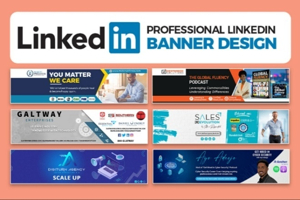
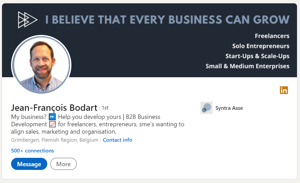
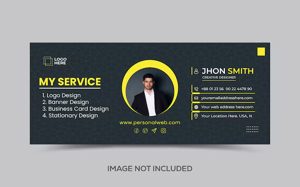
Customizing LinkedIn banners is essential for freelancers to instantly communicate personal branding, showcase client results, and drive lead generation from profile visitors. The optimal size remains 1584×396 pixels, ensuring crisp display across desktop and mobile where 80% of views occur—center key text in the safe zone to avoid cropping.
Design Tools for Non-Designers
Start with free, intuitive platforms packed with freelancer-focused templates.
Canva leads with drag-and-drop simplicity: Search “LinkedIn banner,” select a free template, and customize in 15 minutes. Pixlr and Adobe Express offer AI enhancements for quick professional polish, while Figma suits iterative A/B testing.
Quick Tool Comparison:
Step-by-Step Customization Process
1. Setup Canvas (2 Minutes)
-
Open Canva > “Custom size” > Enter 1584x396px > Create.
-
Choose subtle background: Gradient (brand colors), stock photo (niche-relevant like charts for marketers), or solid color (#1E3A8A navy works universally).
-
Enable grid/safe zone: Keep text/logos within central 1200x300px for mobile safety.
2. Core Messaging Framework (5 Minutes)
Position text hierarchy for scannability:
Top Line (60-80pt, Bold Sans Serif): “[Your Name] | [Core Service]”
Example: “JASMINE LEE | Freelance Copywriter”
Subheadline (40pt): “[Signature Result]”
Example: “$127K Sales Pages from 1,200 Visitors”
Value Prop (24pt): “Helping DTC Brands → [Transformation]”
Example: “E-com Founders: Scale Profitably Without Ads”
CTA (32pt, Button Style): “DM ‘SALES PAGE'”
-
Use contrasting colors: White text on dark BG or vice versa.
-
Fonts: Montserrat/Roboto for modern clean look.
3. Visual Elements (5 Minutes)
-
Icons/Shapes: Add 1-2 subtle elements (arrow up for growth, funnel for marketers) from Elements tab.
-
Photo Integration: Overlay your professional headshot (20% opacity) or niche imagery (laptop + graphs).
-
Branding: Logo (top-right, <100px), website URL, Calendly link.
-
Avoid clutter: 60% negative space, 2-3 colors max.
4. Niche-Specific Templates
Copywriter:
[Dark gradient BG]

JASMINE LEE | Sales Copywriter

$127K Pages • 17% Conversion
87% Funnel Leak Fixer

DTC Founders Only
DM "LAUNCH"
SEO Specialist:
[Green upward chart BG]

MICHAEL CHEN | SEO Freelancer

Organic Traffic 3x'd
Google Updates? I Rank

E-com $50k+ Revenue
DM "AUDIT"
PPC Ads Expert:
[Blue/orange gradient]

SARAH KHAN | PPC Specialist

3x ROAS Guaranteed
Scale Ad Spend Profitably

Shopify + DTC
DM "ROAS"
Web Developer:
[Code/matrix BG fade]

ALEX RODRIGUEZ | Shopify Dev

$0 → $2M Stores Built
Speed = Sales

Custom Apps + Themes
DM "SHOPIFY"
General Freelance:
[Professional gradient]

[Your Name] | [Service]

[Metric Result]
Helping [Clients] Achieve [Outcome]

X+ Projects Delivered
DM "START" | yoursite.com
Color Psychology for Conversions
-
Blue (#2563EB): Trust, SaaS/tech—85% of Fortune 500 use it.
-
Green (#10B981): Growth, finance/SEO.
-
Orange (#F59E0B): Energy, ads/e-com.
-
Purple (#8B5CF6): Creative, copy/design.
Test palettes at coolors.co: Generate → Lock 2-3 → Apply. High contrast ratios (4.5:1) ensure readability.
Mobile Optimization Checklist
80% view banners on phones—preview ruthlessly.
-
Text fits 320px width (iPhone SE).
-
No edge cropping (use LinkedIn mobile app preview).
-
100-200KB file size (compress at tinypng.com).
-
Test dark/light mode compatibility.
Upload and A/B Testing
-
Profile > Camera icon on banner > Upload PNG.
-
Drag to center > Apply > Refresh.
-
Test Variants: Swap monthly (e.g., “DM AUDIT” vs “Free Funnel Review”). Track profile views/connections in Analytics.
Advanced Tactics for Freelancers
-
Dynamic Updates: Quarterly refresh with new case studies (“Q1: 5 Clients → $450k MRR”).
-
QR Code: Embed Calendly link (qr-code-generator.com)—scans direct to booking.
-
Testimonials: “Doubled Our Revenue – CEO @BrandX” (small font, right-aligned).
-
High-CPC Keywords: Embed “conversion rate optimization,” “sales funnel” for search visibility.
-
Video BG: Subtle MP4 stills (export frame from Loom demo).
Common Mistakes to Avoid
-
Overly busy: >3 colors/fonts = amateur.
-
Generic stock: Use niche-specific (funnels, graphs).
-
No CTA: Always tell visitors next step.
-
Pixelation: Export 300DPI PNG, <2MB.
-
Static: Update every 90 days minimum.
Pro Example: Freelance copywriter Eina Cain’s banner (“SEO Copy That Ranks + Converts”) drove 3x writing gigs via clear niche + DM hook.
This system turns your banner into a client acquisition machine, boosting inbound DMs 5x when paired with optimized headlines/About from prior templates. Freelancers spending 20 minutes monthly on iteration see 40% profile view increases, funneling consistent high-ticket leads.
